With being a tinkerer, theres ever glooming danger of becoming hoarder. Your pride will tell you that you can fix everything, but the reality of current product engineering of non serviceable products can stop your enthusiasm.
When I've spotted good looking carton box with printer inside standing near trash, I've decided to give it a try. Worst case scenario - I'll salvage the stepper motors. But maybe, just maybe, I'll get photo printer and scanner for free. There was only one constraint - I'm not spending more than a weekend on this project. Whatever happens, the sunday is hard deadline!
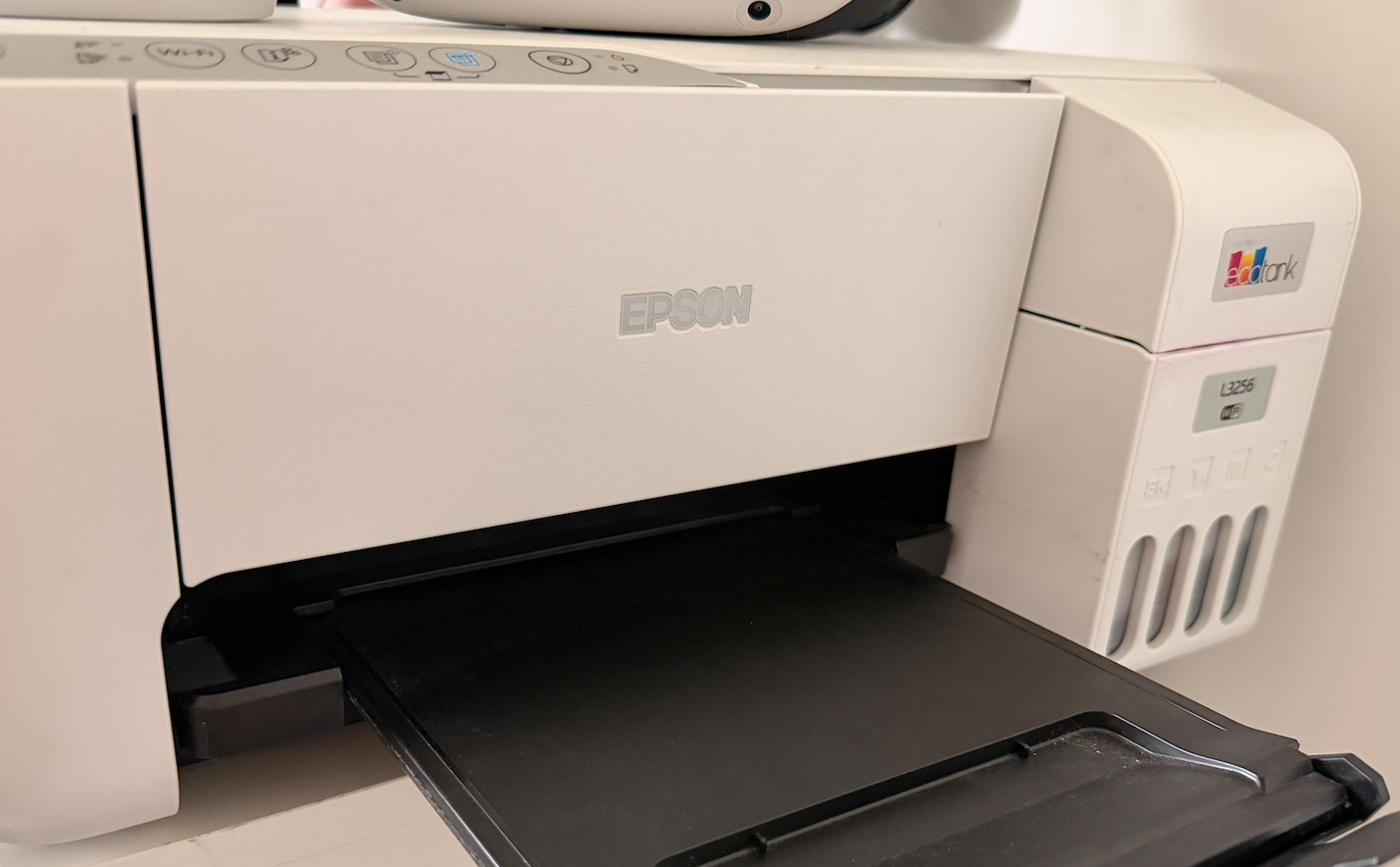
Meet our patient - Epson L3256
At first I was a bit disappointed, as box clearly stated it's a Brother printer (which is the only printer company I trust). Seems that previous owner have a good taste in tech, good for him/her! After short googling, the Epson I've found is not half bad as it's using separate tanks for it's inks and using off-brand refills is possible. So theres a glimpse of hope, that I'm going to be able to print my photos in A4 format. Suddenly the stakes went higher!
Step 0: Eliminate the dangers
Before you even think of connecting unknown device to mains voltage, stop. If anything goes wrong, you can burn down your house or hurt yourself. Minimize this risk first. There is no shame in admitting it's outside your comfort zone. Mistake might be lethal.
I've seen free devices on sidewalks, but never seen an 1up power up. Please, be smart.
Clean everything and inspect for damage
Is isolation damaged? Something not attached correctly? Investigate carefully as for some reason the device was thrown out. Seen nothing suspicious with my printer, so I proceeded. If anything, it looked too good. Everything intact, not even ink spills.
Manage the risk - move one step at the time
You want to move slow for two reasons:
- We are investigating. Check one thing at a time to isolate variables
- If theres short circuit, probably you don't want to find this out while having your laptop connected
After making sure I have safety gear nearby (gloves and fire blanket) proceeded with connecting just the power cable. Gave it some time, no magic smoke. Pushed the power button... and it's alive! And probably happy to see me, because all LEDs on it blinked like a christmas tree. Fortunately, the printer can accessed via WIFI, so risk of connecting data cable can be postponed.
Of course, theres an App
EpsonSmartPanel was pleasant surprise. Maybe it's ugly for current standards, but I wasn't bombarded with dark patterns trying to make me buy some service or another product. Didn't even need to create account to use it! Any design sins were forgiven and forgotten.
Whats most important - the printer brains seemed to be all right. Printing was not available, but at least scanner worked correctly. Celebrated a little, as I've got more than I initially hoped for. Maybe the previous owner just made an upgrade...?
Ink printers are shady beasts
If you never had an ink printer, better it stays this way. Stores are filled with carefully crafted abominations designed to pull money out of your wallet:
- The printer might be cheap, but the original ink will cost you arm and leg
- Out of ink? I'm sorry Dave, I'm afraid you can't scan anymore
- As the ink is a liquid, it can (and will) dry and might clog the printhead
- Manufacturers will make anything to make servicing them on your own impossible. And then tell you it's for your own good
Why I'm listing all of it? Well, the christmas lights I've mentioned earlier were not a sign of affection, but rather a signal that it has to be transported back to Authorized Service™. Oh no no, we don't do that here.
Perfectly working printer landed on garbage because of... full diaper?
Turns out this printer has small compartment designed for ink waste, called by serviceman a diaper. It's just a plastic container with felt, and it can be easily washed (don't make my mistake and use gloves). To access it, unscrew just two screws on the back. All would be great, but Epson decided that it's incredibly dangerous to do alone and small microchip keep track of it's usage forcing users to visit a service point blessed by Epson.
There's also another, a bit shady way to deal with that. I've found mentions of paid software (I'll skip the name as I don't want to advertise them), which for a price of 9 dollars will reset the magic counter. For sure, we won't go this way. But it's existence at least suggests, it can be hacked!
Open Source saves the day
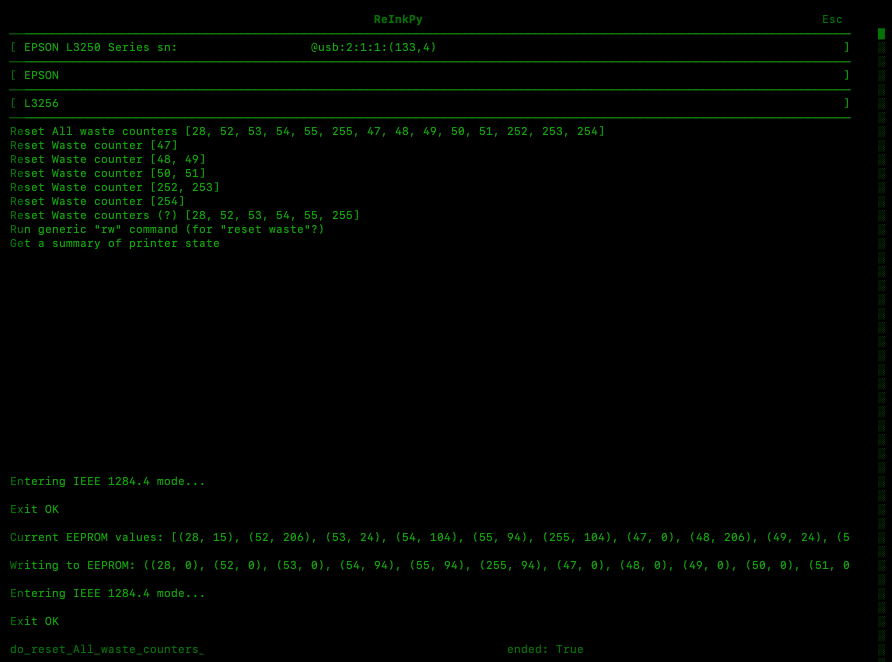
ReInkPy was my saviour. There were minor hiccups along the way, but nothing crazy:
- my particular printer had to be connected with USB cable. As tradition dictates, it has to be the USB-B
- had to use
brewto installlibusb
After the power cycle, the printer made happy noises and there were no signs of previous errors! Test page showed some issues with magenta, but few runs of cleaning took care of that. Time for the real test...

GREAT SUCCESS! The print turned out great, leaving me with new problems - where can I get frames for this format? Where to hang them? But those are good problems to have.
The pure joy of a bringing piece of trash back to life is amazing, and I hope next time you'll see some broken tech, you'll try some tech necromancy. It's good for environment, it's fun, it'll improve your investigation skills.
Give it a try!